WooCommerce
Ecommerce
Install the plugin, paste your keys and take payments in the store you already run.
- Cards and bank payments at checkout
- Card details never reach WordPress
- Orders marked paid only after a signed webhook
Demo, test mode. Payments, email, and webhooks are simulated. No real money moves.
Take cards and bank payments, follow every dollar to your bank, and keep your whole business in one dashboard.
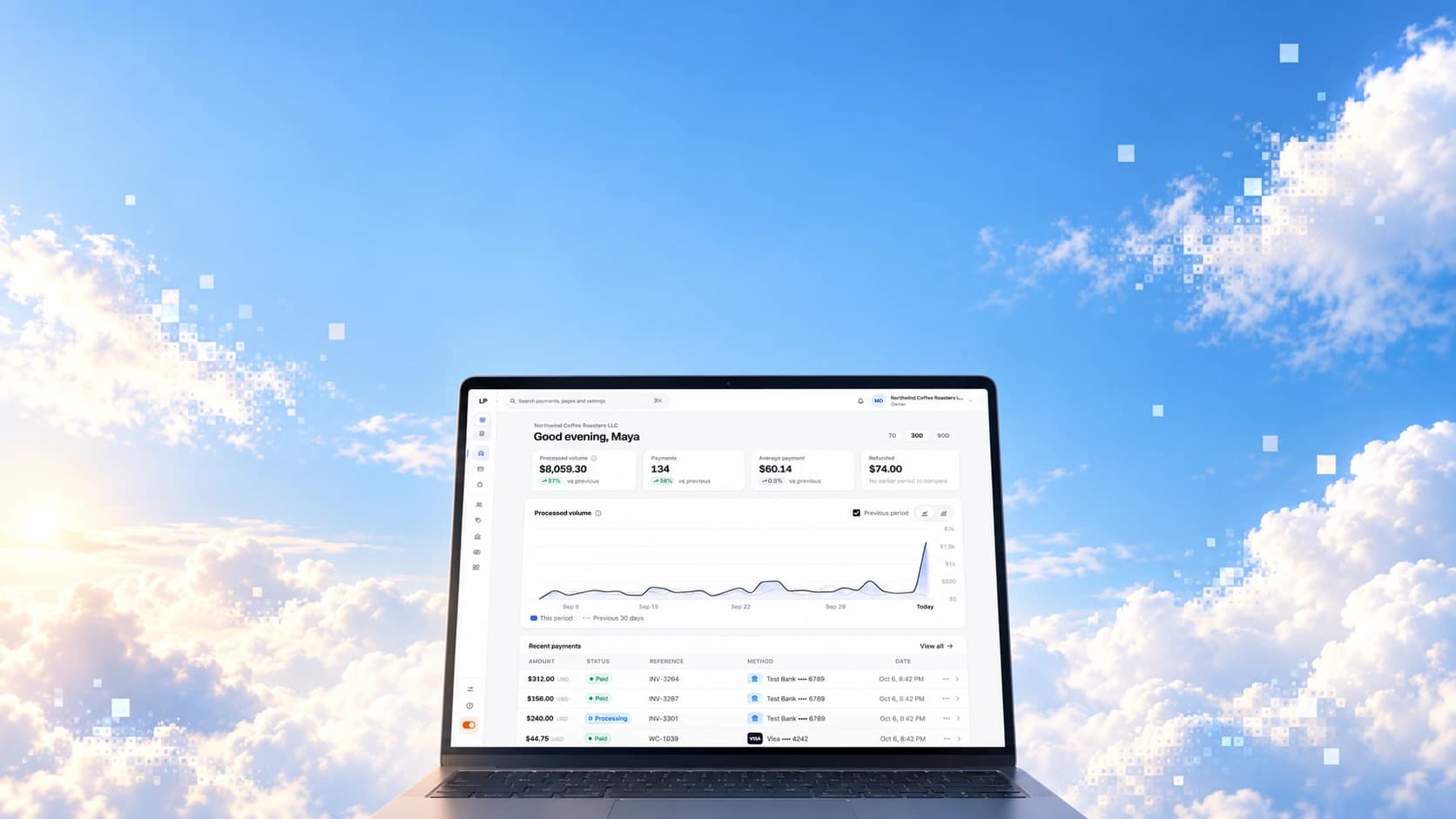
Most businesses stitch together a checkout, an invoicing tool and a bank login, then reconcile the three by hand. last puts them on one account, one balance and one dashboard.
Commerce
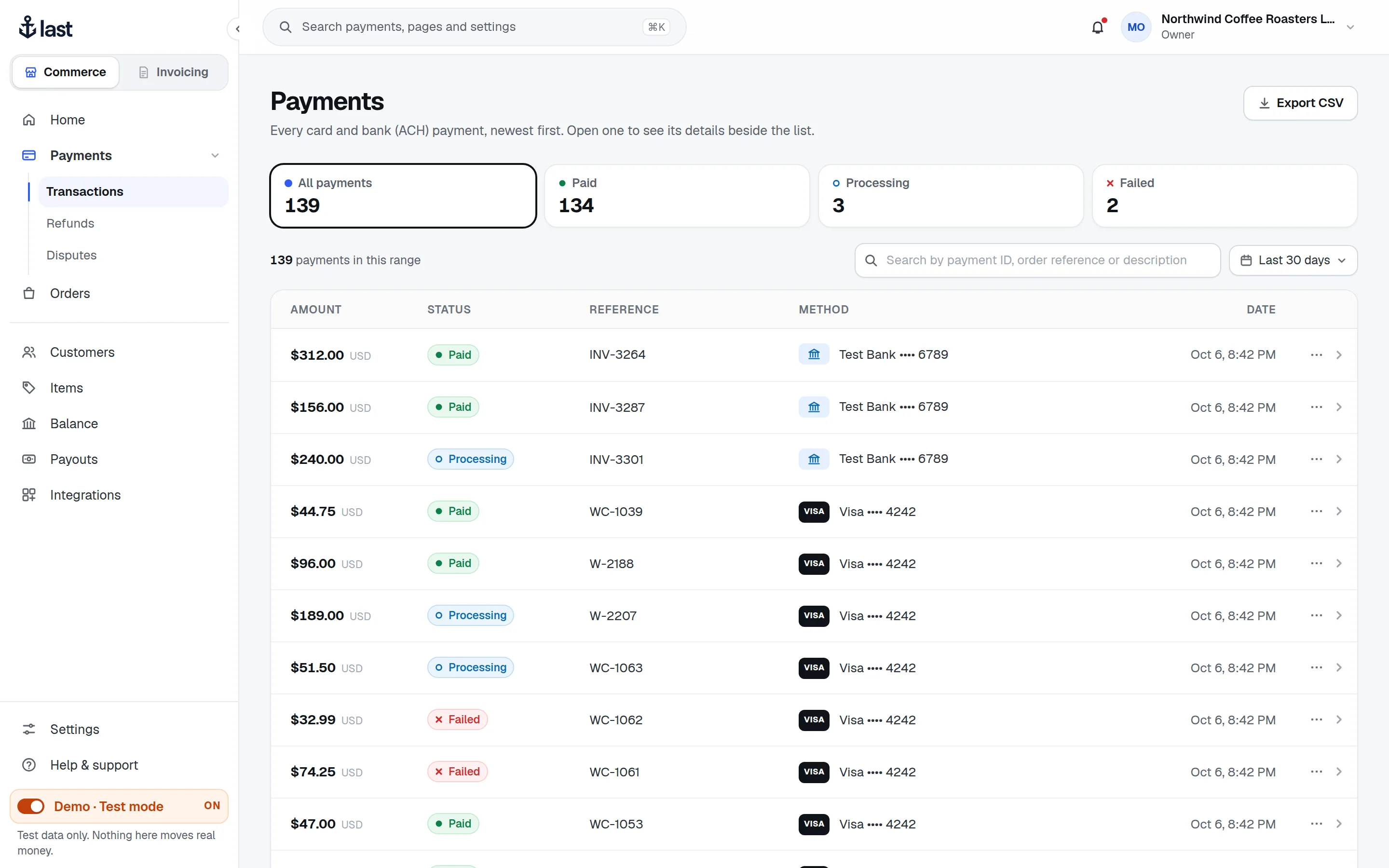
Your customers pay by card or bank in your WooCommerce store or on your own site. You find, refund and follow up on every payment from one dashboard.
Credit and debit cards alongside ACH bank payments, in one list.
Customers type card details into the processor’s fields, not your site.
Give money back from the payment itself. The balance follows.
See what a cardholder disputed and what the network needs from you.
Invoicing
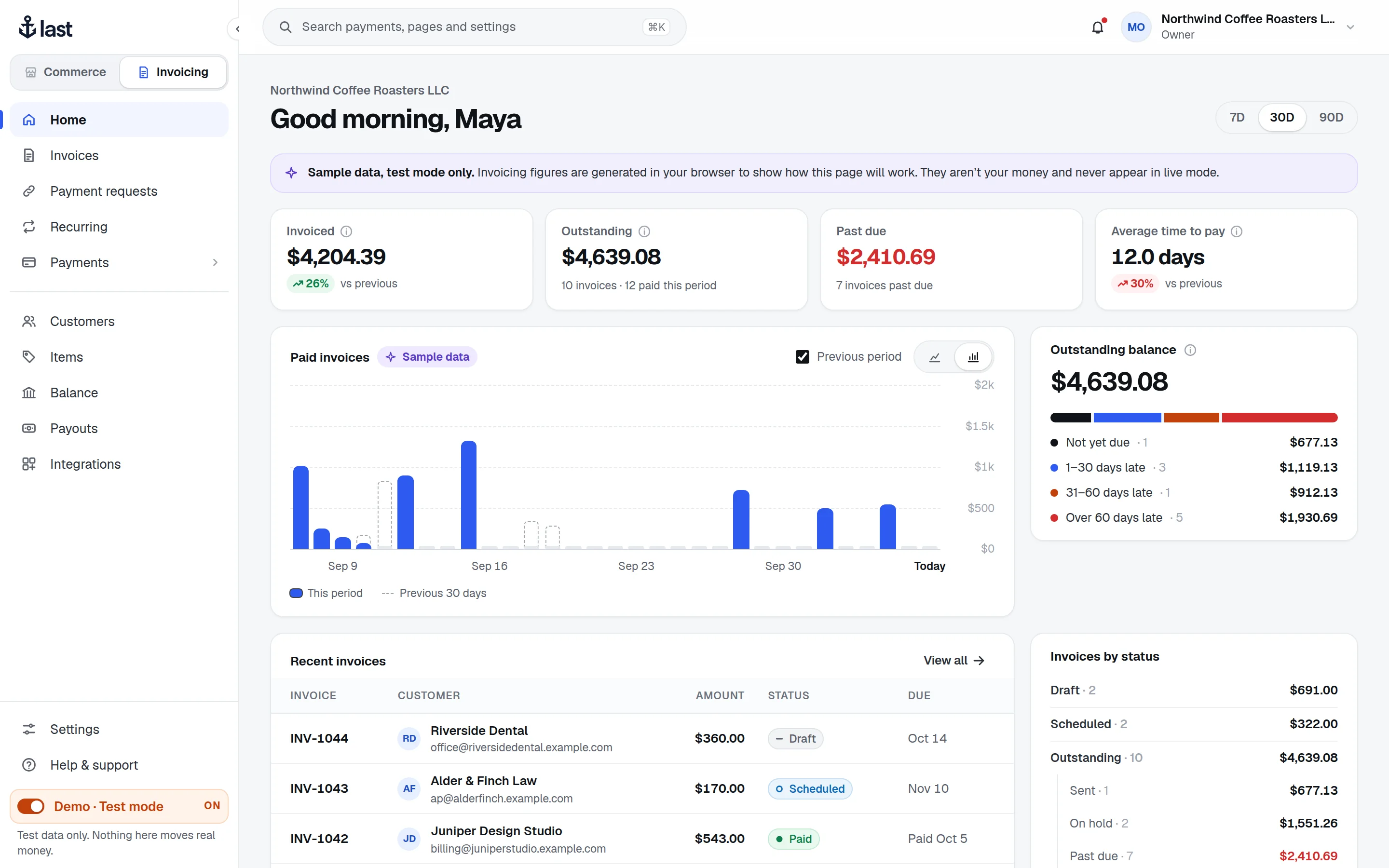
AvailablePut together an invoice, send it by email, and let customers pay the full amount on a hosted page. Make it repeat, or ask for a one-off payment instead. Text delivery is not configured. Production money stays behind the existing go-live gates.
Balance and payouts
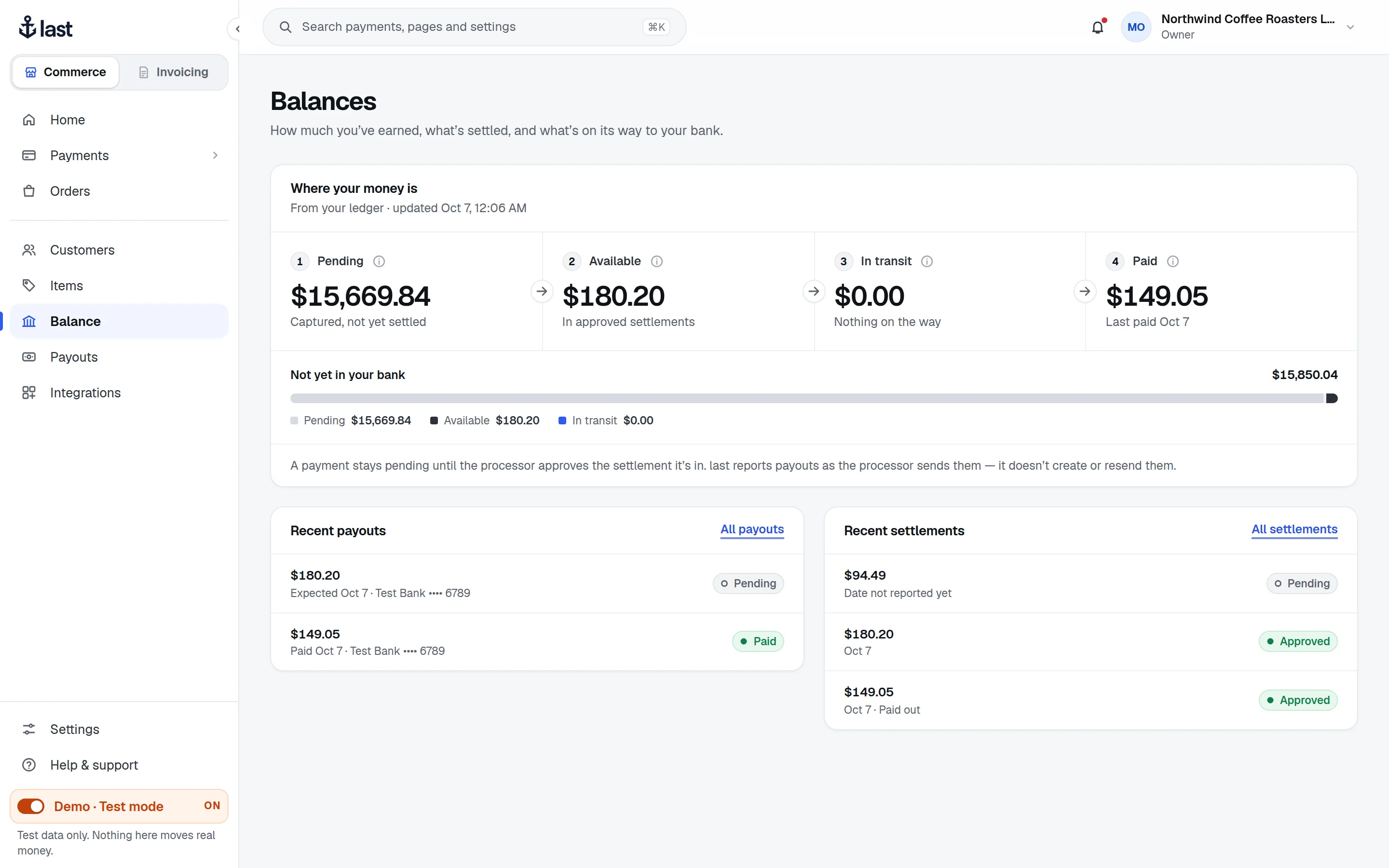
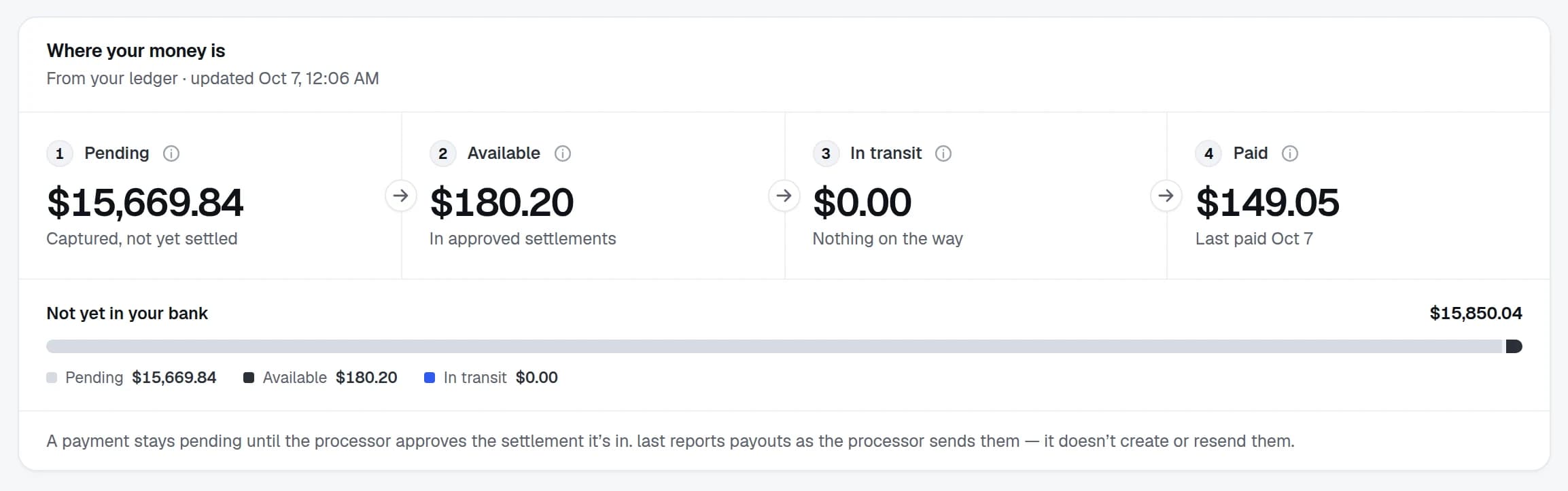
Your balance comes straight from your ledger, and each payout is reported the way the processor sends it, so you can see what’s coming before it lands.
Your customer paid. The processor is settling it.
Settled and approved, ready to be paid out.
A payout is on its way to your bank.
The money is in your bank account.
Integrations
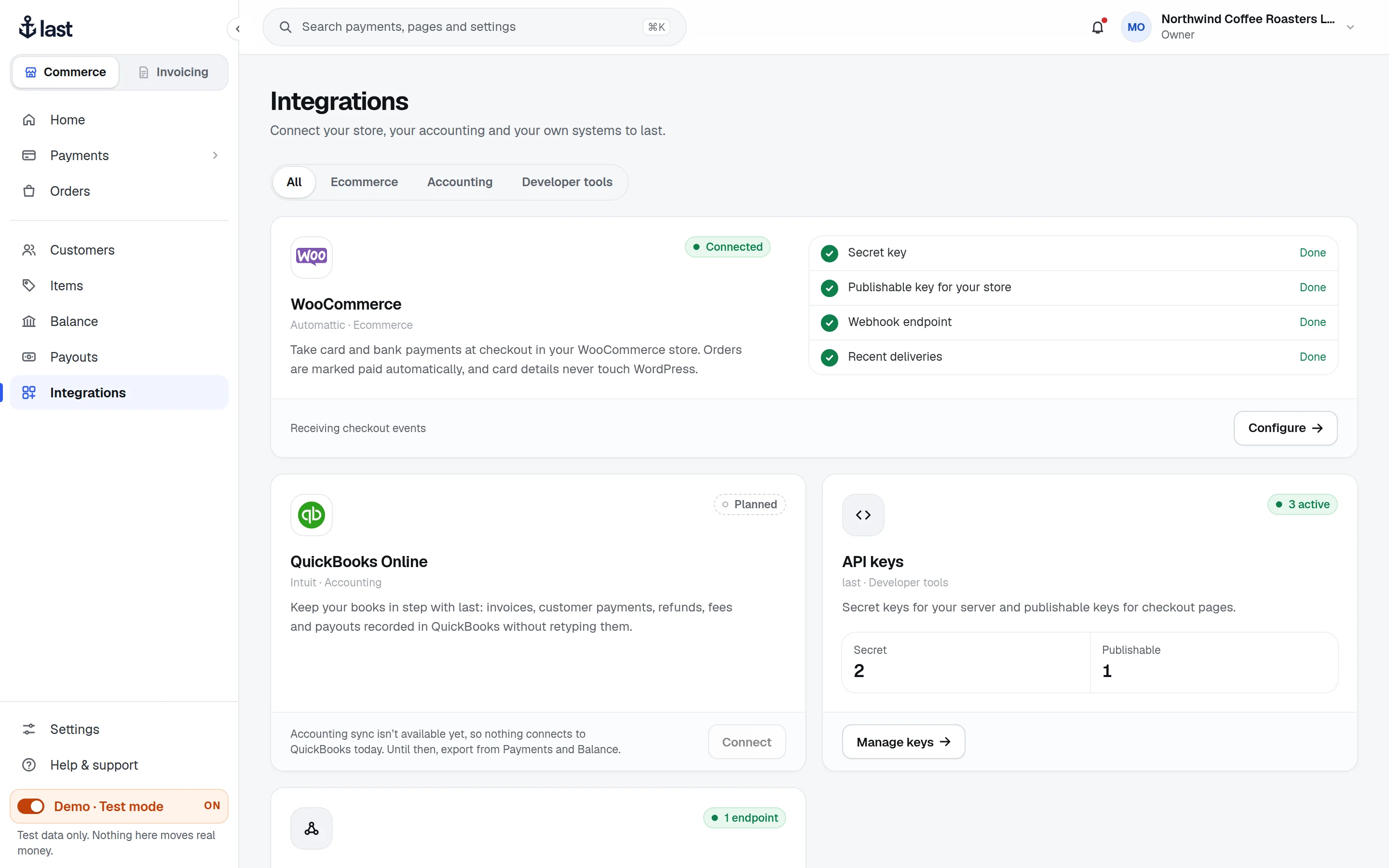
Take payments in the store you already run, without rebuilding your checkout or changing how you work.
Ecommerce
Install the plugin, paste your keys and take payments in the store you already run.

Accounting
We’re building a QuickBooks Online connection, so what moves through last lands in your books without retyping.
WooCommerce and QuickBooks are trademarks of their respective owners.
The dashboard
Real screens from the test-mode demo. Every name and number in them is made up.
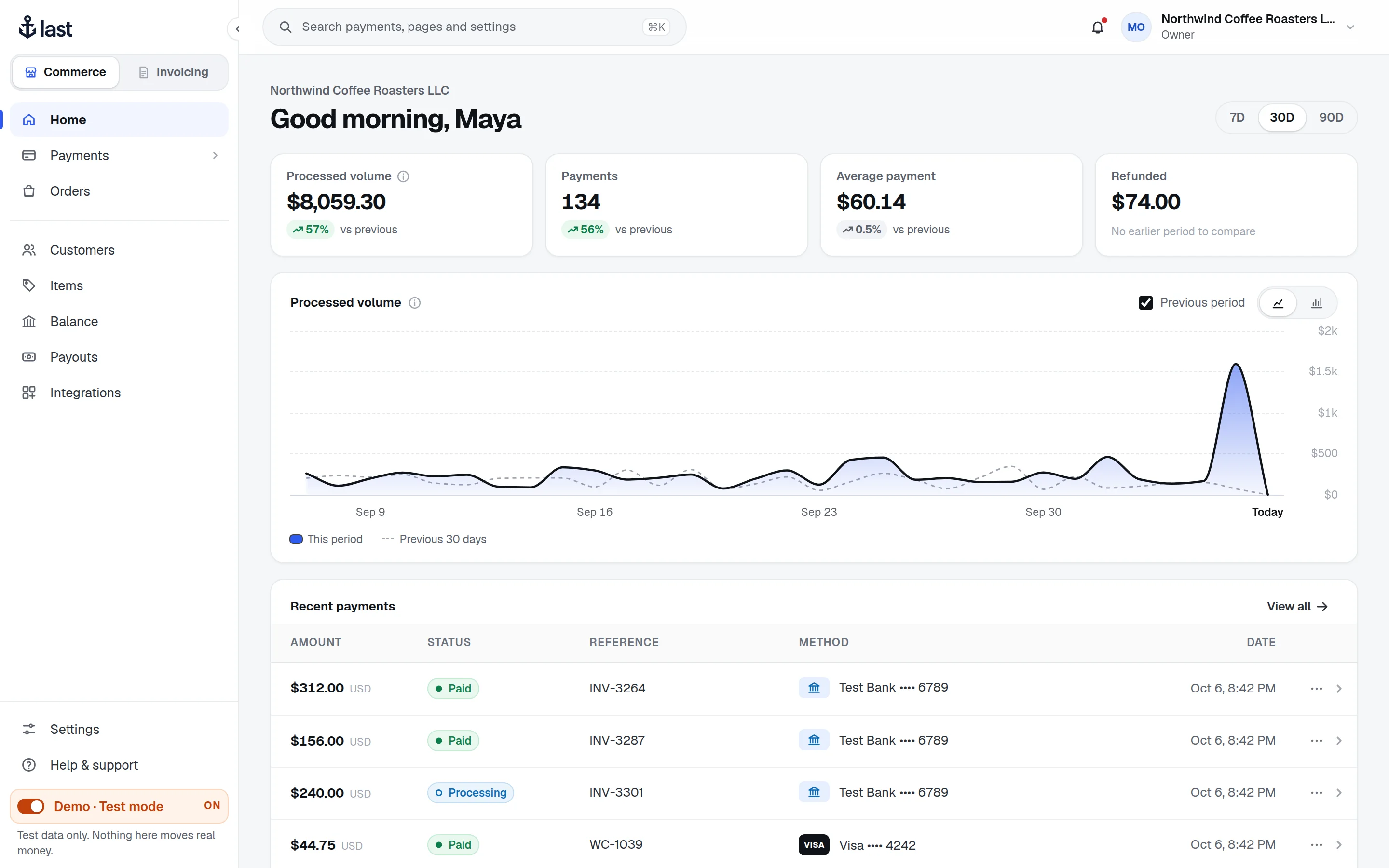
Volume, payments and refunds at a glance, against the previous period.
Developers
Create payments from your server, take card details in the browser without touching them, and hear about every change through webhooks.
Separate test keys and data. Nothing you do there moves real money.
Creating a payment needs an Idempotency-Key. Retry with the same key and you get the same payment back.
Every delivery carries a LastPay-Signature you can verify with your secret.
The checkout script keeps card entry inside the processor’s frame.
POST /v1/payment_intentsAuthorization: Bearer lp_test_sk_…Idempotency-Key: order-1042-attempt-1{ "amount": 4200, "currency": "USD", "merchantReference": "order-1042"}201 Created{ "status": "REQUIRES_PAYMENT_METHOD", "livemode": false, … }Solutions
Different shapes of business, the same account underneath.
Install the WooCommerce plugin and take cards and bank payments at checkout. Card details stay in secure fields and never reach WordPress.
Take card and bank payments for jobs and appointments, and refund in full or in part when plans change.
Bring your team in with their own roles, keep every client payment in one place, and see exactly what has reached your bank.
Create payments from your server, let customers pay in a hosted card field, and get signed webhooks when anything changes.
Start with payments and add people and tools as you grow, all in one account with one balance.
Tell us how you take payments and we’ll put together pricing that fits. Your rates are always visible in your dashboard.
Create an account, try every screen with test data, and go live when your business is approved.